

Successful Integration!
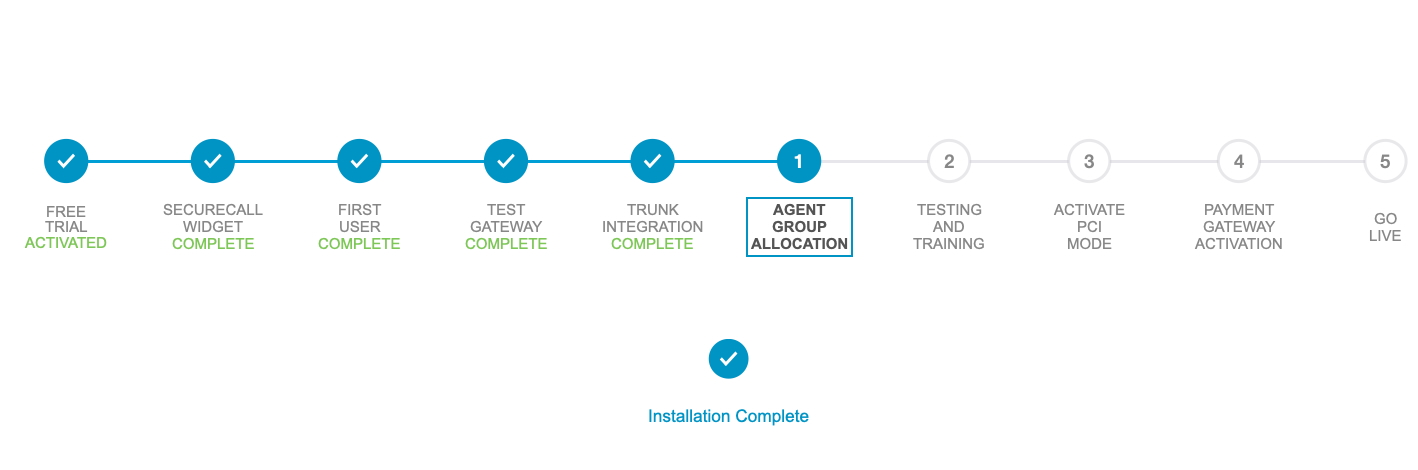
Your SecureCall and Genesys PureCloud environments are integrated.
These are the steps that you will now need to be complete.
1. Agent Group Allocation
Agents that need to use SecureCall now need to be added to the Genesys Group called 'SecureCall_[AU|UK|US]_Users'.
That will ensure the SecureCall Widget is shown on the Genesys Desktop for those Agents.
2. Testing and Training
We recommend you test the service and train your agents while using our test payment gateway. The test card number and suggested agent script can be found on the on the SecureCall Customer Support Portal.
3. PCI Mode and Trunk DTMF turned off
Time to turn on PCI mode in your Genesys Cloud environment. The Genesys team need to do that.
Here is information about PCI Mode and Genesys PureCloud.
Genesys Cloud Product Support:
https://help.mypurecloud.com/articles/contact-genesys-cloud-care/
4. Payment Gateway Activation
Swap in your own Payment Gateway. (swap out our test gateway).
Here is the process to activate your Production Payment Gateway Account.
5. GO LIVE
You are now fully operational.
Billing for SecureCall will commence in 30 days as a part of your normal Genesys invoicing.
Need Help?
Visit the SecureCall Customer Portal to get to the latest resources:
It covers:-
- Admin Guide
- User Guide
- Testing Guide
- Developer's CRM-POS integration Guide
- Help and Support
- Real time platform status
If you don't yet have a SecureCall Portal Account, please register here:
Contact Us
Ask about our platform, technology or team.
Book a demo , grab some documentation or ask for access to the SecurePII Resource Portal.
- Any business
- Any size
- Any industry
- Contact Centre environments
- Non-Contact Centre environments